aplexer crash warnings: dead sessions stay visible until you acknowledge them
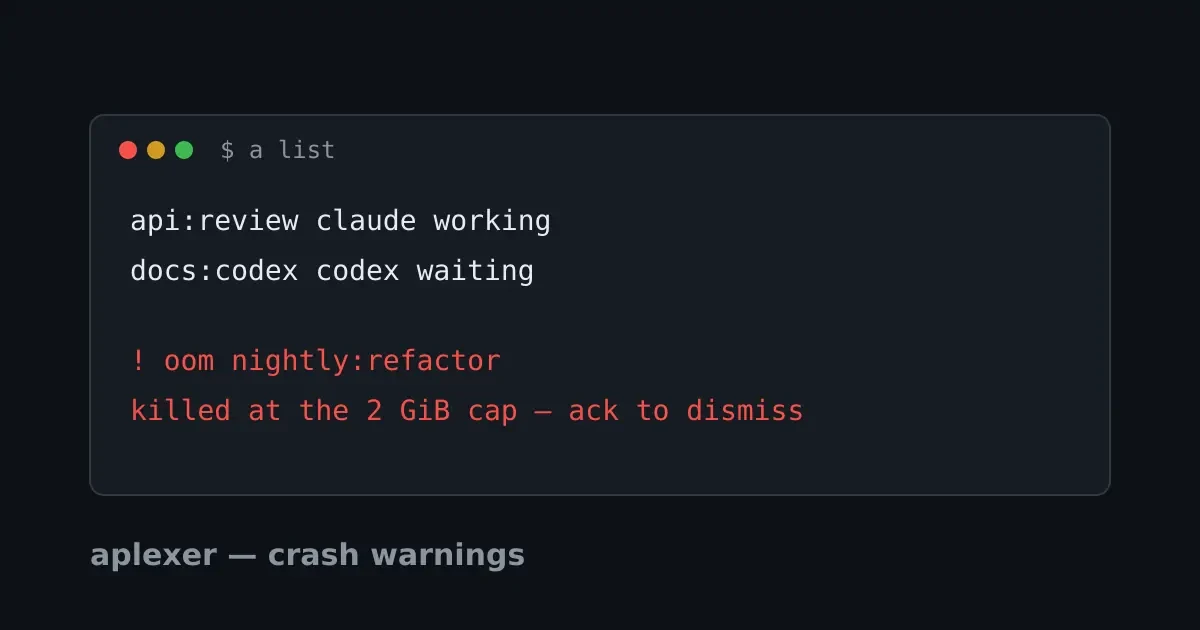
You cap a training run at 2 GB, go to bed, and in the morning a list
shows one fewer session than you remember starting. The kernel OOM killer
did its job at 3am. By breakfast, routine cleanup has erased the session,
the exit, and the diagnosis. Nothing is wrong, says the machine. Something
is badly wrong, says the workload you left running.
aplexer now keeps crash
warnings for exactly these deaths. A crash warning is a durable record
that a session was OOM-killed or crashed. It shows up in every listing
surface, a prune can't remove it, and only an explicit a ack clears
it.
A crash is the one thing a session can't report
A healthy session records its own exit. The worker writes the exit code,
the state flips to finished, and a list shows it as done.
Two kinds of death break that story:
- The workload was killed by the kernel OOM killer. The worker is
alive and does record the exit, but the record is a finished session
like any other. The next
a prunereaps it, and the diagnosis goes with it. - The worker died with no exit recorded. A SIGKILL, a reboot, or a bug kills it outright, and the record keeps claiming the session is still running until cleanup notices the process is gone.
Either way, the normal lifecycle verbs erase the fact a human needs.
So aplexer moves that fact out of the session record into its own sidecar
file under aplexer's state directory. It's one small JSON file per crash,
written once and shown everywhere, and only an explicit a ack removes
it.
The deaths that produce a warning
Three deaths produce a warning.
Everything else is a session ending, not a session crashing:
- The workload was killed by the kernel OOM killer. Aplexer turns
that diagnosis into an
oomwarning, exit code included. - The worker died without recording an exit. The next
acommand that looks at the session finds a record that still claims to be running, with no worker process behind it. The warning kind iscrash. - The worker lived long enough to record a fatal error. This is also
crash, with the error as the detail.
A plain exit warns nothing, not even a SIGKILL exit. Running a kill is
you ending a session on purpose, not the session crashing. A crash is by
definition first observed by someone other than the dead worker, so the
check runs at query time. The next a list, a status, or a warnings
materializes the warning.
Every listing shows it, nothing clears it
The next a list prints a banner under the session tree:
⚠ 1 unacknowledged crash warning (cleared by `a ack`):
  ⚠ crashed ~/git/api:migrate — worker died unexpectedly while running (no exit recorded) · 2h ago
Each warning gets one line:
- the kind, yellow for
oomand red forcrashed - the
workspace:tagselector to address it with - a one-sentence explanation of the death
- how long ago the crash happened
The banner shows up on every listing until you acknowledge the warning.
It even appears for sessions whose record a prune already removed,
which is the point.
a warnings is the complete standalone list:
$ a warnings
⚠ 2 unacknowledged crash warnings (cleared by `a ack`):
  ⚠ oom ~/git/api:migrate — workload was killed by the kernel OOM killer · 2h ago
  ⚠ crashed ~/git/pocketshell:review — worker died unexpectedly while running (no exit recorded) · 3h ago

Acknowledge: a ack (everything) · a ack SESSION (one)
Acknowledging on purpose
a ack is the only thing that clears a warning. Run it bare to
acknowledge everything, or pass a selector to acknowledge a single
warning.
It understands the same selectors every a command takes:
a ack                                    # everything
a ack ~/git/api:migrate                  # one workspace:tag
a ack 3f9c2a1e                           # one session by UUID prefix
a ack migrate                            # tag in the current workspace
The command prints what went away:
$ a ack ~/git/api:migrate
acknowledged ~/git/api:migrate (oom) — workload was killed by the kernel OOM killer (code None, signal Some(9))
acknowledged 1 warning(s)
Under the hood the warning file moves to an acked/ tombstone rather
than being deleted. That tombstone is what makes an ack stick. When the
sweep re-runs, it finds the crashed record still sitting there, and the
tombstone tells it you have already seen this one. Once you have dealt
with a warning, it stays dealt with.
For scripts and dashboards
a warnings --json prints the complete list as JSON, the form to poll
if you build your own status board.
The output looks like this:
[
  {
    "created_at_ms": 1758118920000,
    "detail": "workload was killed by the kernel OOM killer (code None, signal Some(9))",
    "engine": "python",
    "kind": "oom",
    "session": "0f4bd7aa-19d0-4b01-a3aa-1d8673ce6bd5",
    "tag": "migrate",
    "workspace": "/home/you/git/api"
  }
]
The kind field is oom or crash, and created_at_ms is when the
crash was first recorded. Each row of a status --json and
a snapshot --json has a warning field. It's null, or the same
object for that row's session.
That difference matters, because a snapshot row only knows about its own
warning, while a warnings --json is the complete list and the one that
survives pruning. a ack --json prints what it acknowledged in the same
format.
Reproduce it yourself
To reproduce a crash deterministically, start a session and SIGKILL its worker:
export APLEXER_STATE_DIR=/tmp/a-demo APLEXER_RUNTIME_DIR=/tmp/a-demo-run
a start --workspace /tmp/a-demo --tag sync -- /bin/bash -c 'sleep 300'
kill -9 "$(a status --workspace /tmp/a-demo --tag sync --json \
  | python3 -c 'import json,sys; print(json.load(sys.stdin)["worker_pid"])')"
a warnings          # the crash warning appears here
a ack               # and goes away exactly once, because you said so
For the OOM flavor, cap the session's memory when you start it and let the workload blow through the cap. The kernel does the rest, and the warning records its diagnosis.
The PocketShell connection
PocketShell is a browser-based terminal to your servers, and aplexer is its session layer. A warning that survives cleanup means the tab on your phone shows the same crashed-session truth as the server console. No more "it worked when I ran it before" gaps. The PocketShell homepage walks through the whole flow.
To learn more
These three pick up where this one stops: